CDN Setup
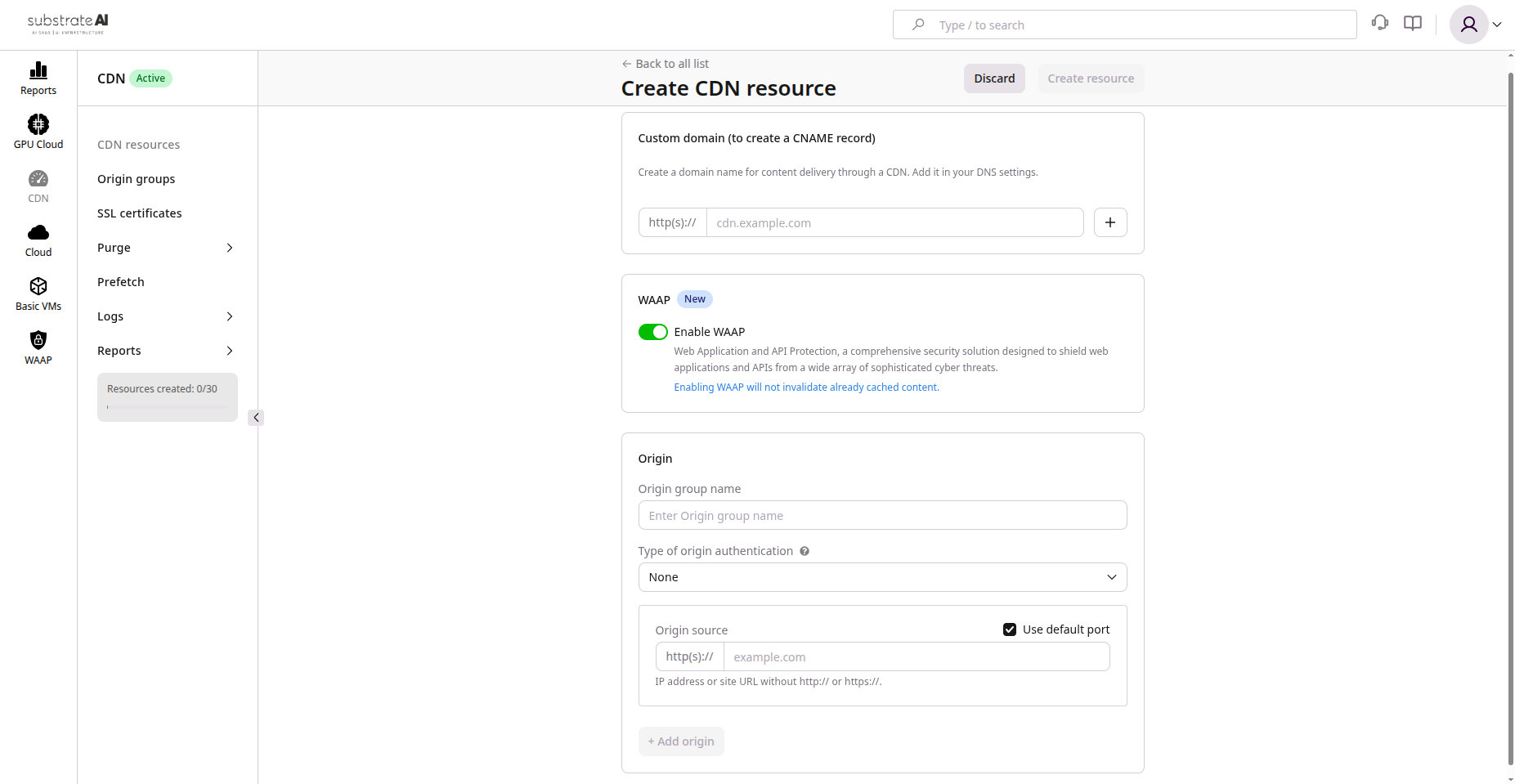
Configure content delivery network for global asset distribution.
Prerequisites
- Registered domain name (e.g.,
example.com) - DNS provider access for CNAME records
- Origin server (backend, storage bucket, or load balancer)
- (Optional) SSL/TLS certificate for custom hostname
Step 1: Create CDN Resource
- Navigate to CDN > Create Resource
- Configure:
| Setting | Description |
|---|---|
| Name | e.g., main-cdn or media-delivery |
| Origin Address | Where CDN pulls content (e.g., origin.example.com) |
| Origin Protocol | HTTPS (recommended) or HTTP |
- Save to initiate edge deployment
Propagation takes a few minutes globally.
Step 2: Configure Origin Settings
| Setting | Description |
|---|---|
| Host Header | Match origin's expected hostname |
| Origin Group | Add backup origins for redundancy |
The system automatically fails over to backup origins if primary is unavailable.
Step 3: Enable HTTPS
Two options:
| Option | Description |
|---|---|
| Upload Certificate | Provide cert and private key for custom hostname |
| Generate Free Cert | Issue ACME certificate from dashboard |
Once validated, all CDN traffic uses HTTPS.
Step 4: Add Custom Hostname
- Go to Custom Domains in CDN resource
- Add hostname (e.g.,
cdn.example.com) - Note the Edge Hostname (e.g.,
abcd1234.edge.net)
Step 5: Update DNS
Create CNAME record:
| Type | Name | Value | TTL |
|---|---|---|---|
| CNAME | cdn.example.com | <edge-hostname> | 300 |
Wait for DNS propagation (usually minutes).
Step 6: Configure Caching
- Open Caching tab
- Configure:
| Setting | Recommendation |
|---|---|
| Cache key | Path + query parameters |
| Compression | Enable gzip/brotli |
| Large files | Enable range requests |
Override cache headers with custom rules as needed.
Step 7: Test CDN
curl -I https://cdn.example.com/index.html
Expected response:
- Status
200 OK X-Cache: HITheader (after first request)- Valid HTTPS certificate
Step 8: Cache Management
| Action | Description |
|---|---|
| Purge Cache | Remove outdated files from edge nodes |
| Prefetch Content | Pre-load high-demand assets |
Monitoring
Review CDN metrics regularly:
- Traffic volume
- Cache hit ratio
- Response time
Adjust cache rules and TTLs based on traffic patterns.
Troubleshooting
| Issue | Cause | Solution |
|---|---|---|
| 404 from CDN | Origin path mismatch | Verify origin path and headers |
| SSL Error | Certificate not applied | Re-upload or re-issue certificate |
| Cache not updating | Stale objects | Purge affected URLs |
| Propagation delay | DNS TTL or edge sync | Wait and retry |