Enterprise Verification (KYC/KYB)
Access CPU Cloud, GPU Cloud, Storage, Networking, CDN, and WAAP services through the Enterprise platform.
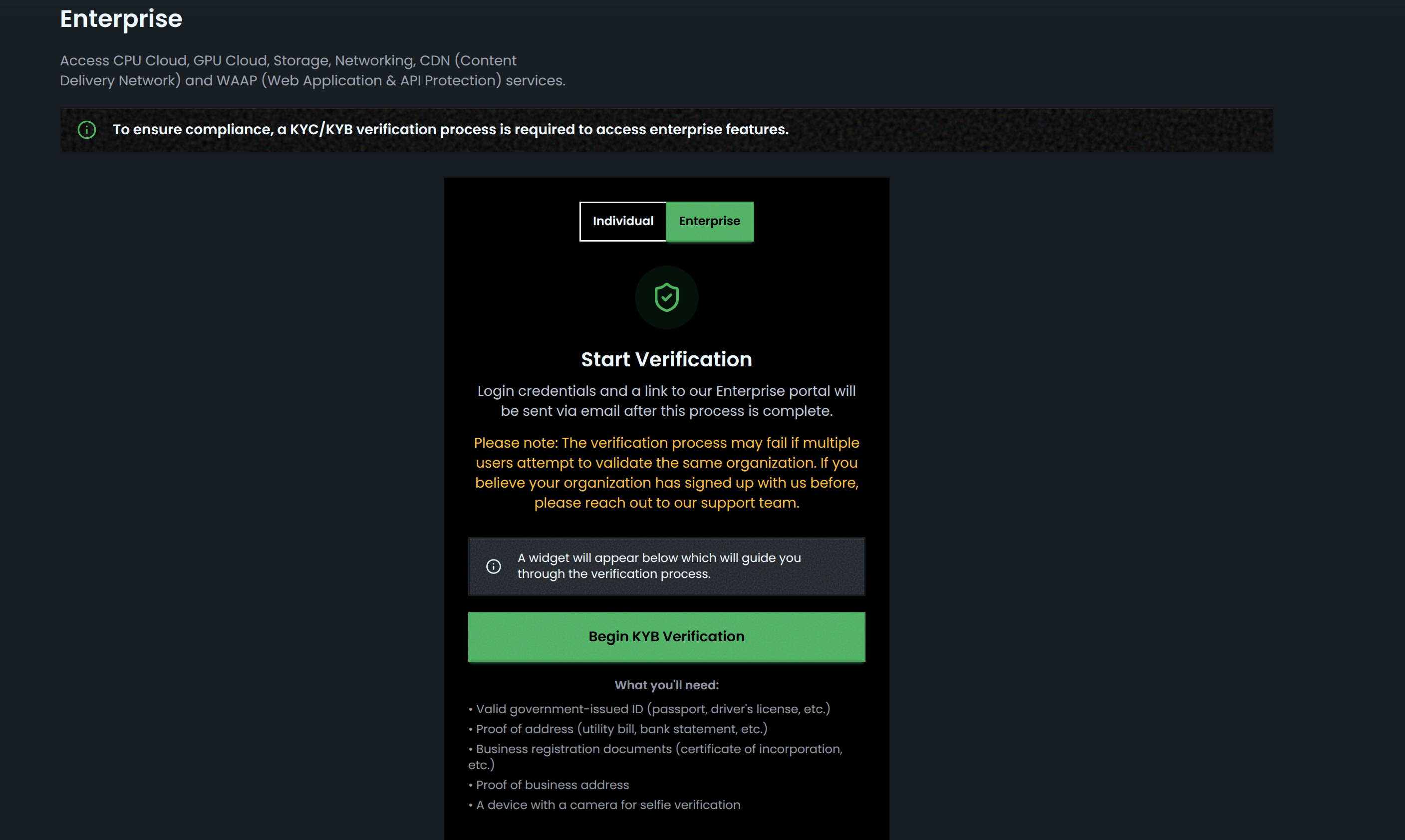
Overview
Enterprise features require KYC/KYB verification. The verification process is completed within the platform and takes approximately 5-10 minutes.
Prerequisites
Before starting verification, prepare:
| Document Type | Examples |
|---|---|
| Government-issued ID | Passport, driver's license |
| Proof of address | Utility bill, bank statement |
| Business registration | Certificate of incorporation |
| Business address proof | Official business documentation |
| Camera-enabled device | For selfie verification |
Verification Process
Step 1: Access Enterprise Section
- Log in to console.substrate.ai
- Navigate to Enterprise in the left sidebar
- Select Individual or Enterprise verification type
Step 2: Complete Verification
- Click Begin KYB Verification
- A verification widget will appear on screen
- Follow the guided prompts to:
- Submit organization details
- Upload required documents
- Complete identity verification
Note: Verification is instant upon successful completion.
Step 3: Receive Portal Access
After verification:
- Login credentials are sent to your registered email
- Email includes a link to the Enterprise portal
- First login requires setting a new password
Enterprise Portal Access
- Go to portal.substrate.ai
- Enter credentials from your email
- Set a new password on first login
After Verification
Once logged in, you can:
- Update organization profile
- Connect data sources and integrations
- Manage roles and permissions
- Access all Enterprise platform features
Important Notes
- Verification may fail if multiple users attempt to validate the same organization
- If your organization has previously signed up, contact support before proceeding
Support
Contact support@substrate.ai for verification issues.